Disclaimer: This post contains affiliate links. If you purchase ShortPixel plans through the links provided below, I (Mai Nguyen) will receive a commission at no extra cost to you. This helps support maing.space and allows me to keep testing the best web performance tools for you.
Begin the ShortPixel experience now!
Introduction
We have all been there: you spend hours crafting the perfect blog post, selecting beautiful high-resolution images to accompany your text, and hit publish. You check your site on your phone, and… you wait. And wait.
Nothing kills user experience (and SEO rankings) faster than a slow-loading website. And more often than not, the culprit is unoptimized images.
While there are dozens of image optimization plugins for WordPress, few have maintained the reputation and consistency of ShortPixel. It is often cited as the “gold standard” for balancing image quality with file size reduction. But is it still the best choice in 2026?
Today on maing.space, I am reviewing ShortPixel to help you decide if it’s the right solution to speed up your website.
What is ShortPixel?
ShortPixel (accessible at shortpixel.com) is a high-performance image optimization and compression tool founded in 2014 by ID SCOUT SRL, a company based in Bucharest, Romania.
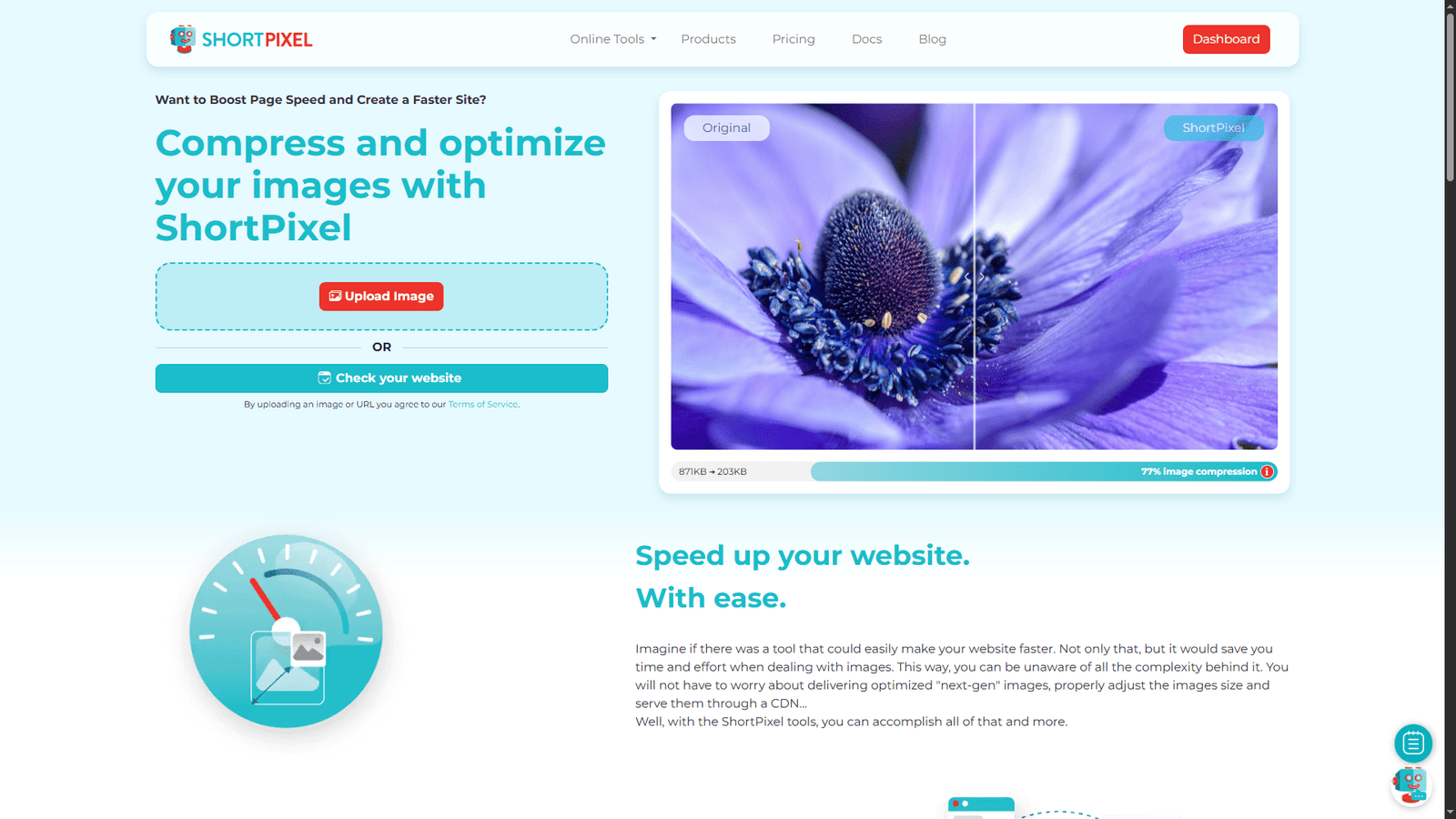
Unlike generic compression tools that just strip metadata, ShortPixel uses advanced proprietary algorithms to analyze your images and reduce their file size by up to 90% without a perceptible loss in quality. It is primarily known for its WordPress plugin, which currently powers over 1 million websites, but it also offers an API and command-line tools for developers.
The company’s philosophy is “Set and Forget.” They aim to make image optimization an automated background process so creators can focus on content, not technical configurations.
Key Features & Products
ShortPixel actually offers two distinct ways to optimize your site. It is important to understand the difference.
1. ShortPixel Image Optimizer (SPIO)
This is the classic plugin. It compresses the actual image files sitting on your web server.
- How it works: When you upload an image to WordPress, SPIO sends it to the ShortPixel cloud, compresses it, and downloads the smaller version back to your server, replacing the original.
- Best for: People who want to keep their optimized images on their own hosting and don’t want to rely on an external CDN for delivery.
2. ShortPixel Adaptive Images (SPAI)
This is their newer, all-in-one solution.
- How it works: It doesn’t touch your original files. Instead, it serves your images via ShortPixel’s global Content Delivery Network (CDN). It automatically detects the user’s screen size (mobile, tablet, desktop) and serves a perfectly resized and optimized version of the image just for that device.
- Best for: Non-technical users who want the absolute fastest speeds and “next-gen” image serving without configuring settings.
3. Three Levels of Compression
ShortPixel allows you to choose how aggressive you want to be:
- Lossy: The most aggressive compression. Offers the smallest file sizes. Great for standard blogs and business sites where speed is the #1 priority.
- Glossy: A balanced approach. It compresses the image but prioritizes visual fidelity. This is the best choice for photographers and lifestyle bloggers.
- Lossless: Pixel-by-pixel identical to the original, just with stripped metadata. The file size reduction is smaller, but the quality is untouched.
4. Next-Gen Formats (WebP & AVIF)
Google loves modern image formats. ShortPixel automatically converts your standard JPGs and PNGs into WebP and AVIF formats. AVIF, in particular, is the future of web images, offering higher quality at smaller sizes than even WebP.
Pros and Cons
After using ShortPixel on several of my own projects, here is my honest assessment.
Pros:
- Unbeatable Compression Ratios: In my tests, ShortPixel’s “Lossy” algorithm often beats competitors like Smush or Imagify in pure file size reduction while keeping the image looking great.
- Credit Rollover: Unlike many subscription services where you lose unused credits at the end of the month, ShortPixel allows you to buy “one-time” credit packs that never expire.
- PDF Compression: It doesn’t just do images; it can also compress your PDF files, which is a huge bonus for businesses hosting brochures or whitepapers.
- Excellent Support: Their team is known for being responsive and actually helpful, often diving into your site settings to fix conflicts.
Cons:
- The Credit System Trap: One “image” upload in WordPress creates multiple thumbnails (small, medium, large). ShortPixel counts each thumbnail optimized as 1 credit. So, uploading 1 photo might actually use 5 to 10 credits depending on your theme settings.
- Conflict Potential: If you use ShortPixel Adaptive Images (SPAI) alongside other caching plugins like WP Rocket or Autoptimize, you need to be careful to disable “Lazy Load” on one of them to avoid conflicts.
Pricing
ShortPixel offers a flexible pricing model that suits both hobbyists and agencies.
- Free Plan: You get 100 credits/month for free. This is great for tiny blogs or testing the waters.
- Monthly Subscriptions: These start around $4.99/month and give you a set amount of credits.
- One-Time Packs: This is my favorite option. You can buy a bulk pack of credits (e.g., 10,000 credits for ~$9.99) that never expire. This is perfect for a website that has a lot of existing images to optimize once, but doesn’t upload much new content monthly.
Who Should Use ShortPixel?
- Photographers & Portfolios: Use the “Glossy” setting to make your site load fast without ruining the details of your work.
- High-Traffic Blogs: The “Lossy” setting coupled with AVIF conversion will significantly improve your Core Web Vitals and SEO scores.
- Agencies: The API and bulk tools make it easy to optimize client sites quickly.
Conclusion
In a web environment where every millisecond of load time counts, ShortPixel remains a heavyweight champion. It is reliable, affordable, and effective. While the credit usage for thumbnails can be annoying, the sheer performance gain you get in return is worth every penny.
If you are serious about your website’s performance, installing ShortPixel is one of the easiest “quick wins” you can implement today.
