Disclaimer: This post contains affiliate links. If you verify the tool and decide to purchase a subscription through the links provided below, I (Mai Nguyen) will receive a commission at no extra cost to you. This helps support maing.space and allows me to keep testing the best productivity tools for you.
Introduction
If there is one task that universally drains the soul of every corporate employee, student, and freelancer, it is building slide decks. You have the content in a Word doc or a PDF, but turning that wall of text into a visually engaging PowerPoint presentation takes hours of resizing text boxes, finding images, and fighting with alignment tools.
We have seen a wave of AI presentation tools recently, but many of them are just “chatbots” that spit out generic bullet points on a white background.
Enter AiPPT.
I have been testing this tool for the last week, and it promises something bold: the ability to upload a full document (like a research paper or a business report) and have it converted into a fully designed, downloadable PowerPoint file in under a minute.
Is it too good to be true? Today on maing.space, I am reviewing AiPPT to see if it’s the ultimate time-saver we have been waiting for.
What is AiPPT?
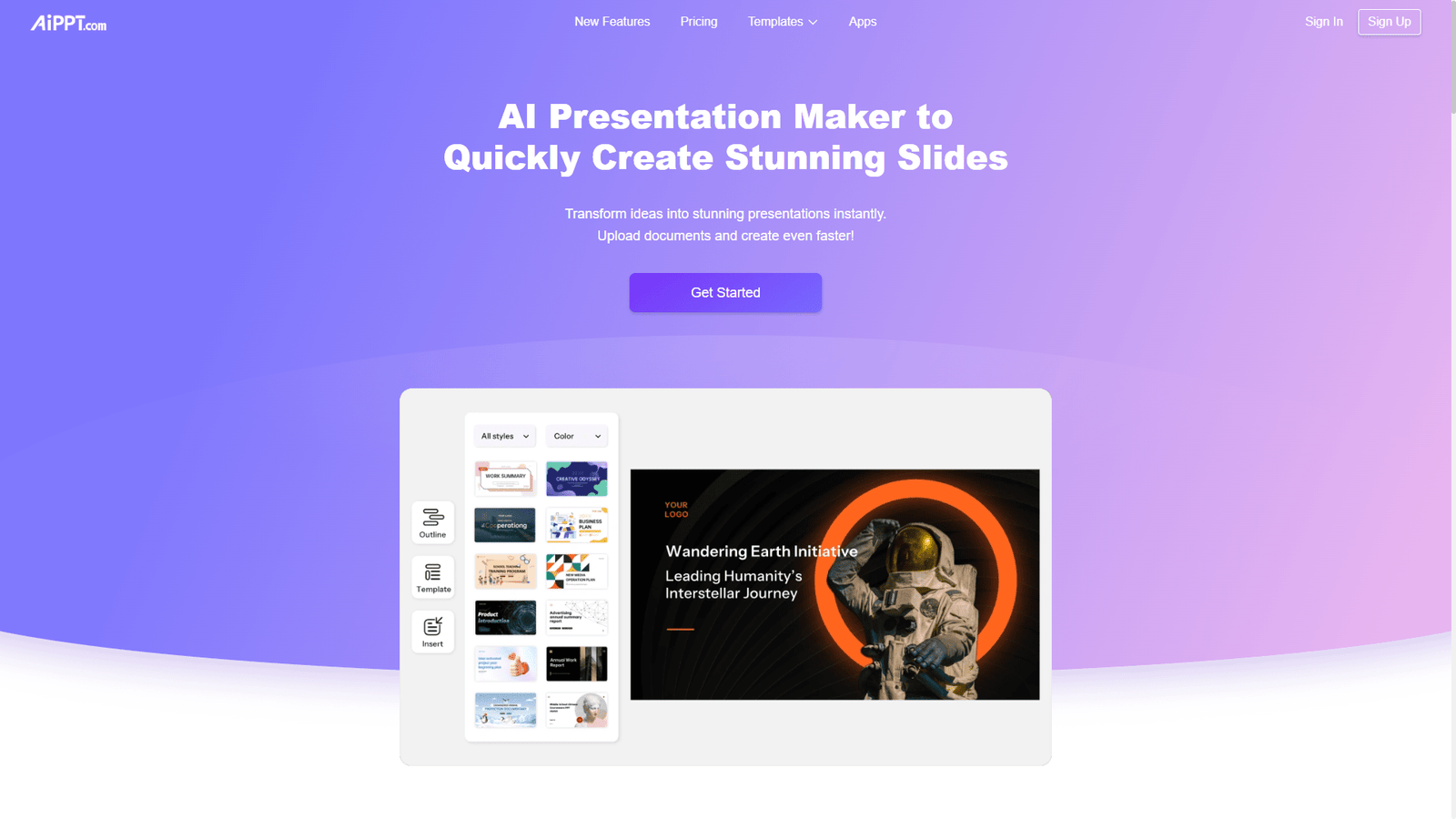
AiPPT (accessible at aippt.com) is an AI-driven presentation generator designed to automate the entire design process. It is developed by PixelBloom (operating globally under entities like Megadreams Limited), a company that has seen massive success in the Asian market and is now making waves globally.
Unlike tools like Canva, which help you design better, AiPPT aims to remove the design phase entirely. Its engine analyzes your text, understands the hierarchy (headings, subheadings, key points), and maps it onto professional-grade slide layouts automatically.
It is available as a web-based platform, but they also offer dedicated applications for Windows, Mac, and mobile devices, making it one of the more accessible tools in this niche.
Key Features
AiPPT is straightforward, but its simplicity hides some powerful capabilities.
1. Document to PPT (The “Killer” Feature)
This is why you use AiPPT. Most AI tools require you to type a prompt. AiPPT allows you to upload existing files—Word, PDF, Markdown, or even a URL.
- How it works: You upload a 20-page PDF report. The AI scans it, summarizes the key points, creates an outline for you to approve, and then generates a 15-slide deck based on that content.
- Why it matters: It saves you the mental energy of summarizing and formatting. It respects your source material rather than hallucinating new facts.
2. AI Outline Generation
Before it generates the slides, AiPPT presents you with a structured outline. You can edit headings, add new sections, or delete irrelevant points here. This “human-in-the-loop” step ensures the flow of the presentation makes sense before you waste credits generating the final visuals.
3. Smart Templates
AiPPT doesn’t just use one layout. It has a library of thousands of templates ranging from “Corporate Blue” to “Playful Education” and “Minimalist Startup.” Once the content is generated, you can swap the entire template with one click without losing your text.
4. One-Click Polish
If you don’t like the way a specific slide looks, you can use their AI editor to “remix” the layout, change the image, or rewrite the text to be more punchy, all within the editor.
Pros and Cons
After generating several decks, here is my honest take on where AiPPT shines and where it falls short.
Pros:
- Incredible Speed: I turned a 2,000-word blog post into a 12-slide presentation in about 60 seconds.
- True “PowerPoint” Export: Unlike some competitors (like Gamma) that try to keep you in their walled garden, AiPPT exports editable
.pptxfiles. You can open the final result in Microsoft PowerPoint and make final tweaks there. - Structural Intelligence: It is surprisingly good at breaking down dense paragraphs into readable bullet points.
- Cross-Platform: The ability to use it on a browser or download a desktop app is a nice touch for power users.
Cons:
- Stock Image Reliance: Like many AI tools, it pulls from stock image libraries. Sometimes the images are perfect; other times they feel a bit generic or “clichéd” (e.g., handshake photos for “partnership”).
- Design Rigidity: While you can swap templates, you don’t have the granular “pixel-perfect” control you get in Canva. It is built for speed, not art.
- Credit System: Heavy users might find the credit system limiting if they need to regenerate decks frequently to get the look right.
Who Should Use AiPPT?
- Students & Researchers: Perfect for summarizing long papers into class presentations.
- Corporate Managers: Great for turning weekly text reports into visual updates for Monday meetings.
- Course Creators: If you have a script or a blog post, you can turn it into a webinar deck instantly.
- Non-Designers: If you have zero eye for color theory or alignment, AiPPT handles it all for you.
Pricing
AiPPT operates on a freemium model (prices subject to change):
- Free Plan: Allows you to test the tool with limited credits. You can generate a basic deck to see how it works, but you may face watermarks or export limits.
- Pro Plan (~$14.99/month): Unlocks more credits, higher character limits for input, priority processing, and access to premium templates.
- Lifetime Plan: Occasionally, they offer a lifetime deal which is excellent value if you hate monthly subscriptions.
Conclusion
AiPPT is not trying to replace a professional graphic designer who charges $5,000 for a pitch deck. Instead, it is trying to replace the 3 hours of busywork you spend formatting slides every week. And at that, it succeeds brilliantly.
If you have a document sitting on your desktop right now that needs to be a presentation by tomorrow morning, AiPPT is your secret weapon.
