Disclaimer: This post contains affiliate links. If you purchase PromeAI through the links provided below, I (Mai Nguyen) will receive a commission at no extra cost to you.
Introduction
If you have ever stared at a rough sketch on a napkin and wished you could instantly show a client what the final building, dress, or game character would look like, you know the struggle of the “visualization gap.” Traditionally, bridging that gap meant hours of modeling, rendering, and Photoshop work.
Enter PromeAI.
In the exploding world of generative AI, PromeAI has carved out a unique niche. It isn’t just another text-to-image generator; it is a specialized design assistant built to turn rough concepts into polished, professional visuals in seconds. Today on maing.space, I’m going deep into what this tool can do, who it’s for, and whether it’s worth your time and money.
What is PromeAI?
PromeAI (accessible at promeai.pro) is an AI-powered design tool developed by LibAI Lab, a company based in Hong Kong focused on bringing artificial intelligence into practical creative workflows.
Unlike generalist AI tools like Midjourney or DALL-E, which are primarily “text-to-image,” PromeAI specializes in “sketch-to-image” and “image-to-image” workflows. It is designed specifically to assist professionals in architecture, interior design, product design, and game development. Its core promise is simple: take a controllable input (like a line drawing or a 3D massing model) and render it into a photorealistic or stylized image, strictly adhering to the structure of your original input.
Key Features
PromeAI offers a suite of tools, but a few stand out as game-changers for creative professionals.
1. Sketch Rendering (The Flagship Feature)
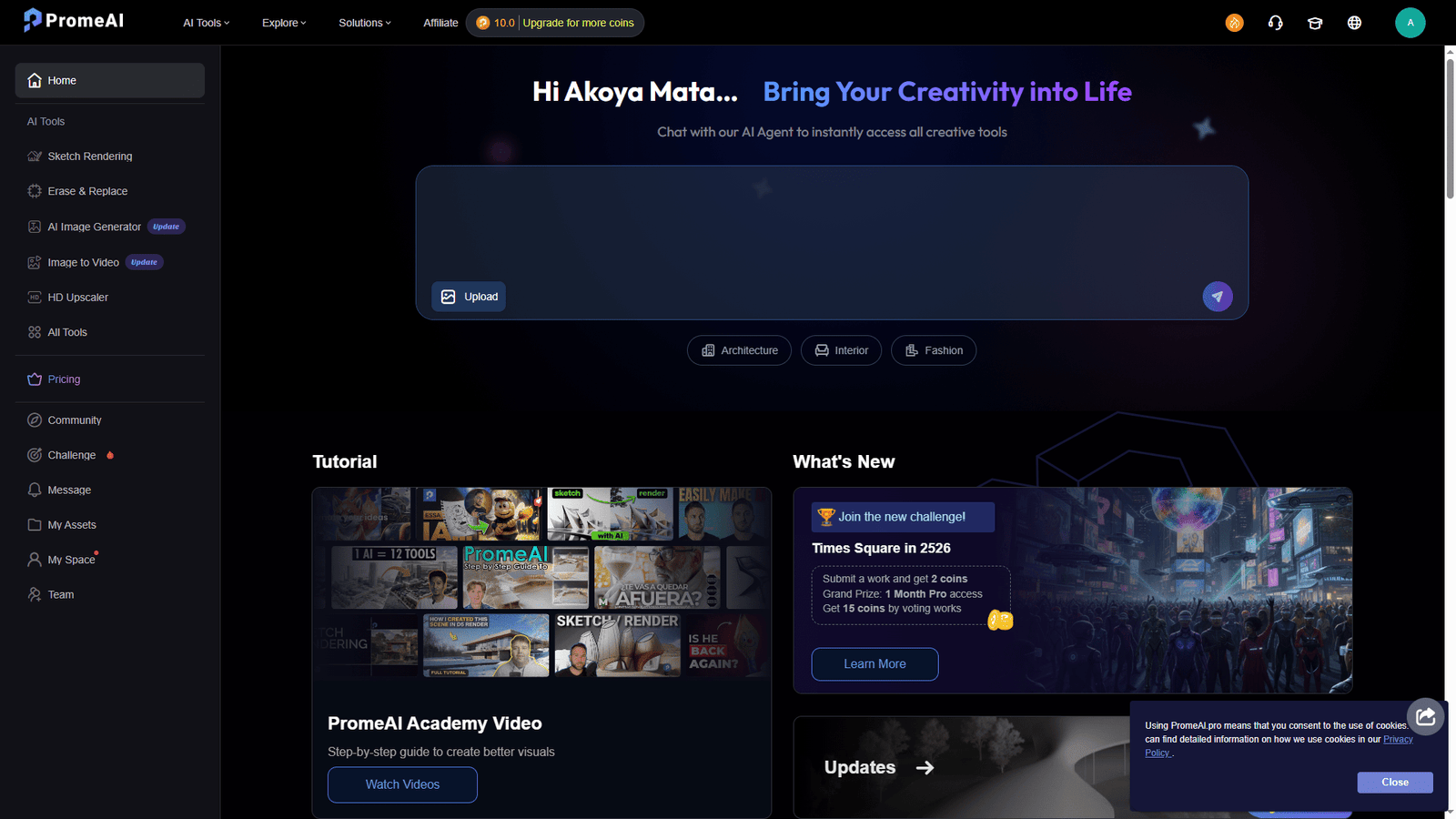
This is the reason most people flock to PromeAI. You can upload a hand-drawn sketch, a basic CAD line drawing, or a screenshot from a 3D model (like SketchUp or Revit), and the AI will render it based on your prompt and chosen style.
- Why it matters: It respects the boundaries of your drawing. If you draw a wall here, PromeAI puts a wall here. It solves the “hallucination” problem common in other AI tools where the layout changes randomly.
2. Erase & Replace
This features allows you to paint over a specific area of an image and type a prompt to change just that part.
- Use Case: An interior designer can take a photo of an empty room, paint over the floor, and ask the AI to generate “hardwood flooring” or “marble tile” without changing the rest of the room.
3. Creative Fusion
Creative Fusion blends a base image with a specific style reference. Unlike standard filters, this actually re-generates the image. You can take a photo of a modern building and fuse it with a “cyberpunk” or “Victorian” style to explore different aesthetics while keeping the main structure intact.
4. Background Diffusion
Perfect for product photographers and e-commerce sellers. You can upload a photo of a product (like a shoe or a perfume bottle), and PromeAI will remove the background and generate a new, high-quality studio or lifestyle setting behind it that matches the lighting of the product.
5. Image to Video
A newer addition to their suite, this tool animates static images. While it won’t create a full movie, it adds cinematic camera movements and subtle element animations, making it excellent for social media showcases or client presentations.
Who Should Use PromeAI?
After testing the tool extensively, I believe PromeAI is best suited for:
- Architects & Interior Designers: This is the primary demographic. The ability to turn a white card model or a SketchUp wireframe into a realistic render in 30 seconds is invaluable for early-stage client meetings.
- Game Developers: For generating concept art, creating texture variations, or visualizing environments from level design block-outs.
- Product Designers: To quickly visualize different materials and environments for a product prototype without building a physical set.
- E-commerce Owners: For generating professional product shots cheaply.
Pros and Cons
No tool is perfect. Here is my honest assessment of PromeAI.
Pros:
- High Control: Unlike Midjourney, PromeAI listens to your sketch. The “ControlNet” technology under the hood ensures your layout remains consistent.
- Speed: It turns a hours-long rendering workflow into a seconds-long generation process.
- User-Friendly Interface: You don’t need to be a “prompt engineer” or know code. The interface is visual, intuitive, and web-based.
- Versatility: The library of preset styles (from “Realistic” to “Anime” to “Watercolor”) is vast and high-quality.
Cons:
- Credit System: PromeAI operates on a “coins” system. High-resolution generations and video features burn through coins quickly, which can get expensive for heavy users.
- Detail Consistency: While good, it sometimes struggles with very fine text or complex mechanical details, occasionally requiring Photoshop cleanup.
- Video Limitations: The video generation is cool but still relatively basic compared to dedicated video AI tools like Runway.
Pricing
PromeAI operates on a freemium model.
- Free Plan: Gives you a small monthly allowance of coins (usually enough for a few test generations) but restricts commercial usage and resolution.
- Base Plan (~$19/month): Unlocks faster generation, private mode (your images aren’t public), and more coins.
- Standard Plan (~$39/month): The sweet spot for professionals, offering a substantial coin allowance and priority processing.
- Pro Plan (~$79/month): For power users and agencies requiring massive volume.
(Note: Prices are subject to change by the company.)
Disclaimer
While PromeAI is a powerful tool, it is an assistant, not a replacement for professional judgment. AI generation can sometimes produce artifacts or structural errors that a human eye must catch. Furthermore, copyright laws regarding AI-generated images vary by country; always ensure you are compliant with local laws when using these images for commercial client work.
Conclusion
PromeAI is easily one of the most practical AI tools available today for visual creators. It effectively bridges the gap between a “napkin sketch” and a “client-ready render.” If you are in the design industry, you owe it to yourself to at least try the free version to see how much time it can save you.
For more tech reviews and design tips, keep it locked here on maing.space.
